Best Voice Dictation Apps for Mac in 2026: The Definitive Comparison
TalkWriter Team · Product
If you're still typing every word on your Mac, you're leaving a massive productivity gain on the table. Modern voice dictation apps powered by AI can help you write 5x faster than typing — and with better accuracy than ever before.
But which voice dictation app is actually the best for Mac in 2026? We tested and compared every major option so you don't have to.
Why Voice Dictation on Mac Matters
The average person types at 40 words per minute. With voice dictation, you can comfortably hit 150–240+ WPM — that's a 4–6x speed increase. For writers, developers, students, and professionals who spend hours writing emails, documents, and messages, this is transformative.
Mac users have unique needs: native macOS integration, system-wide compatibility, and the ability to work across all apps — from Mail to Slack to VS Code. Not every dictation tool delivers on this promise. If you're also weighing dictation against AI writing tools, check out our AI writing assistants vs voice dictation comparison.
Here's how the top options stack up.
1. TalkWriter — Best Overall for Mac
Price: Free plan (2,000 words/week) | Pro $12/month (unlimited)
TalkWriter is purpose-built for Mac and designed to work everywhere — in every app, every text field, every context. Unlike browser-based tools, TalkWriter runs natively on macOS and integrates at the system level.
Key Features
- Works in every Mac app — Mail, Slack, VS Code, Chrome, Pages, and any text field
- AI-powered formatting — automatically adds punctuation, capitalization, and paragraph breaks
- 90+ language support — dictate in English, Spanish, Arabic, Chinese, and more
- Real-time transcription — see your words appear as you speak with minimal latency
- Smart context awareness — understands technical jargon, proper nouns, and domain-specific terms
- Privacy-first — designed with local processing where possible
Pros
- Native macOS app with system-wide integration
- Beautiful, minimal interface that stays out of your way
- Generous free tier for trying it out
- Blazing fast — 240+ WPM dictation speed
- Works offline for basic dictation
Cons
- Mac only (iOS, Windows, and Android coming soon)
- Pro plan required for unlimited usage
Best for: Anyone who wants the fastest, most seamless voice-to-text experience on Mac.
2. Wispr Flow — Well-Funded Competitor
Looking for a deeper comparison? See our Dragon dictation alternatives roundup and our complete speech to text software comparison.
Price: Free (2,000 words/week) | Pro $15/month (~$144/year)
Wispr Flow is a well-funded competitor (raised $81M at a $700M valuation) that launched on Mac in September 2024 and has since expanded to Windows, iOS, and Android. It uses cloud-based AI to transcribe and format your speech.
Key Features
- Native Mac, Windows, iOS, and Android apps
- AI auto-formatting with punctuation and capitalization
- Self-correction ("actually, no, let's do 3 p.m." outputs only the corrected text)
- Command Mode (Pro) — highlight text and say "make this more professional"
- 100+ languages with on-the-fly switching
- Coding IDE integrations (Cursor, Windsurf, Replit)
- SOC 2 Type II and HIPAA compliant
Pros
- Clean, modern interface
- Good accuracy with AI formatting
- Multi-platform support
- Active development with strong funding
- Developer-focused features ("vibe coding")
Cons
- Cloud-based processing — voice data is sent to external servers (OpenAI/Meta)
- More expensive Pro plan at $15/month vs. alternatives
- Privacy Mode available but standard plan retains data for 30 days
- Heavier resource usage than simpler alternatives
Best for: Professionals and developers who want AI-powered dictation and don't mind cloud processing.
3. Apple Dictation (Built-in) — Best Free Option
Price: Free (built into macOS)
Every Mac comes with dictation built in. You can activate it by pressing the microphone key (or Fn twice) in any text field. Apple has significantly improved dictation in recent macOS versions — on Apple Silicon Macs, it runs entirely on-device and the macOS Tahoe transcription engine is reportedly 55% faster than OpenAI Whisper.
Key Features
- Built into macOS — no download required
- On-device processing on Apple Silicon Macs (complete privacy)
- Can type and dictate simultaneously on M1+ Macs
- Supports voice commands ("new paragraph," "period," etc.)
- Auto-punctuation in supported languages
- Can mix two languages in one sentence
Pros
- Completely free
- No setup required
- Excellent privacy (fully on-device on Apple Silicon)
- Decent accuracy (~90-92%) for casual use
Cons
- 60-second session timeout — designed for short bursts, not long-form writing
- No AI rewriting or polishing — what you say is exactly what you get, errors included
- Accuracy drops to 65-75% with background noise
- No custom vocabulary — struggles with technical terms, proper nouns
- No dedicated app — just a system feature with limited controls
- Inconsistent behavior across different apps
Best for: Casual users who need quick, short dictation and don't want to install anything.
4. Dragon by Nuance (Microsoft) — Legacy Leader
Price: Dragon Professional: $699 (one-time) | Dragon Medical: from $1,500
Dragon was the gold standard of dictation for decades. Microsoft acquired Nuance for $19.7 billion in 2022, and since then, Dragon's development has essentially stalled. The Mac version was discontinued in 2018 — the last release (Dragon Professional Individual 6.0) doesn't run on modern macOS or Apple Silicon.
Key Features
- Industry-leading accuracy (when it was actively developed)
- Deep vocabulary customization with voice commands and macros
- Healthcare and legal-specific editions with court-admissible transcription
- Still considered best for medical/legal workflows (on Windows)
Pros
- Extremely mature technology
- Excellent for specialized vocabularies (medical, legal)
- Powerful voice commands and macros
Cons
- Mac version discontinued since 2018 — completely dead on Mac
- Version 17 barely differs from 16, no AI improvements
- Extremely expensive ($699–$1,500+)
- No modern AI formatting or rewriting
- Microsoft integrated Nuance tech into Azure/Office 365 but neglected standalone Dragon
Best for: Medical and legal professionals on Windows who need specialized dictation. Not an option for Mac users.
5. Otter.ai — Best for Meeting Transcription
Price: Free (300 min/month) | Pro $16.99/month | Business $30/user/month
Otter.ai is primarily a meeting transcription tool, not a real-time dictation app. It excels at recording and transcribing conversations, interviews, and meetings — but it's not designed for writing text into your apps.
Key Features
- Real-time meeting transcription
- Speaker identification
- AI-generated meeting summaries
- Zoom, Google Meet, and Teams integration
- Searchable transcript archive
Pros
- Excellent for meetings and interviews
- Good speaker diarization
- Integrates with major video conferencing tools
- AI summaries and action items
Cons
- Not a dictation tool — can't type into apps for you
- Browser/cloud-based — not native Mac
- Requires internet connection
- Privacy concerns (cloud processing)
- Meeting-focused, not writing-focused
Best for: Professionals who need to transcribe meetings, not those who want to write faster.
6. SuperWhisper — Privacy-First Pick
Price: Free trial (small models) | Pro ~$8.49/month | Annual $84.99/year | Lifetime $249
SuperWhisper is a Mac dictation app built on OpenAI's Whisper model. It runs the AI model 100% locally on your Mac — your voice data never leaves your device, making it ideal for privacy-sensitive users.
Key Features
- Powered by OpenAI Whisper — 100% on-device processing
- Custom Modes for different tasks (messages, documents, coding)
- Multiple AI model support (GPT, Claude, Llama via BYOK)
- System-wide dictation across all Mac apps
- 100+ languages with on-the-fly translation to English
- Audio/video file transcription
- Built-in meeting recording and transcription
- Custom vocabulary support
Pros
- Strongest privacy — fully offline, voice data never leaves your Mac
- Good accuracy via larger Whisper models
- Cross-platform license (Mac, Windows, iPhone, iPad)
- One-time lifetime purchase option ($249)
- Supports many languages
Cons
- Requires Apple Silicon for best performance
- Larger models need significant CPU/GPU resources
- Smaller (faster) models sacrifice accuracy
- Less polished UI compared to commercial alternatives
- BYOK required for cloud AI features (Pro plan)
- Complex pricing structure
Best for: Privacy-conscious professionals (medical, legal, journalism) and power users who want guaranteed offline processing.
7. Rev — Best for Professional Transcription
Price: AI transcription $0.25/minute | Human transcription $1.99/minute | Free: 45 min/month
Rev is a transcription service with 14,000+ human transcriptionists, not a real-time dictation tool. You upload audio files and get transcripts back — either AI-generated (95% accuracy) or human-reviewed (99% accuracy).
Key Features
- AI and human transcription options
- Caption and subtitle generation (17 languages)
- Rev.ai API with streaming and async speech-to-text
- Legal transcription (court-compliant depositions)
- AI-powered legal analysis (contradictions, timelines)
- HIPAA compliant
Pros
- Very high accuracy with human transcription (99%)
- Strong legal and compliance focus
- Good for audio/video content creators
- Professional API available
Cons
- Not real-time dictation — upload and wait for results
- Human transcription is expensive ($1.99/min = ~$120/hour)
- Not designed for writing into apps
- No Mac app for system-wide dictation
Best for: Legal professionals, podcasters, and content creators who need accurate transcription of recorded audio.
8. Speechify — Text-to-Speech (Not Dictation)
Price: Free (limited) | Premium $139/year
It's worth noting that Speechify is primarily a text-to-speech app — it reads text aloud to you, not the other way around. While they've added some voice note features, it's not a dictation tool for writing.
Key Features
- Text-to-speech with natural voices
- Read articles, PDFs, and documents aloud
- Speed control and voice selection
- Browser extension and mobile apps
Best for: People who want to listen to written content, not dictate.
Comparison Table
| App | Price | Mac Native | Works in All Apps | AI Formatting | Languages | Best For |
|---|---|---|---|---|---|---|
| TalkWriter | Free / $12/mo | Yes | Yes | Yes | 90+ | Overall best |
| Wispr Flow | Free / $15/mo | Yes | Yes | Yes | 100+ | Developers |
| Apple Dictation | Free | Built-in | Yes | Basic | ~30 | Casual use |
| Dragon | $699+ | Dead on Mac | N/A | No | Limited | Legacy (Windows) |
| Otter.ai | Free / $17/mo | No | No | Meeting-only | 3 | Meeting transcription |
| SuperWhisper | Free / $8.49/mo | Yes | Yes | No | 100+ | Privacy-first |
| Rev | $0.25/min | No | No | No | 17 | Audio transcription |
| Speechify | Free / $139/yr | No | N/A | N/A | 60+ | Text-to-speech |
How to Choose the Right Voice Dictation App
If you want the best all-around experience:
TalkWriter offers the most complete package — native Mac integration, AI formatting, 90+ languages, and a generous free plan to try before you commit.
If you want something free:
Start with Apple's built-in dictation. It's decent for basic use. When you hit its limitations (and you will), upgrade to TalkWriter's free tier for smarter, more powerful dictation.
If privacy is your top priority:
SuperWhisper runs entirely on-device using Whisper models. Just know that accuracy and speed depend on your Mac's hardware.
If you need meeting transcription:
Otter.ai is the clear winner for recording and transcribing meetings. But it won't help you write faster in your daily workflow.
If you're in healthcare or legal:
Dragon remains the standard for specialized vocabularies, but only on Windows at this point.
The Voice Dictation Market in 2026
The voice technology market is booming. Speech recognition is projected to reach $8.77 billion in 2025 and the broader voice search market is expected to hit $13.88 billion by 2030. With 162.7 million voice assistant users in the US alone, voice input is no longer a novelty — it's becoming the default way people interact with technology.
For Mac users specifically, the landscape has shifted dramatically. Dragon's exit from Mac left a massive gap. Apple's built-in dictation covers the basics but falls short for professionals. And a new wave of AI-native apps — led by TalkWriter and others — is redefining what voice-to-text can do.
Other Apps Worth Mentioning
A few more Mac dictation apps that didn't make our main comparison but deserve a mention:
- MacWhisper — Offline Whisper-based transcription for audio files
- VoiceInk — $39.99 one-time purchase, good value for basic dictation
- Voicy — $8.49/mo with 99%+ accuracy and AI commands
- Aqua Voice — Context-aware dictation, Mac only
The Bottom Line
Voice dictation on Mac has evolved dramatically. The old days of slow, inaccurate speech recognition are over. Modern AI-powered tools like TalkWriter let you write at 240+ words per minute with smart formatting that makes your text ready to send.
The best time to switch from typing to talking was yesterday. The second best time is right now.
Have questions about voice dictation on Mac? Reach out to our team — we're always happy to help you find the best workflow for your needs.
Related Articles
AI Writing Assistants vs Voice Dictation: Which Makes You Faster?
AI writing assistants and voice dictation both promise to boost your writing productivity — but they work in fundamentally different ways. Here's which one actually makes you faster.
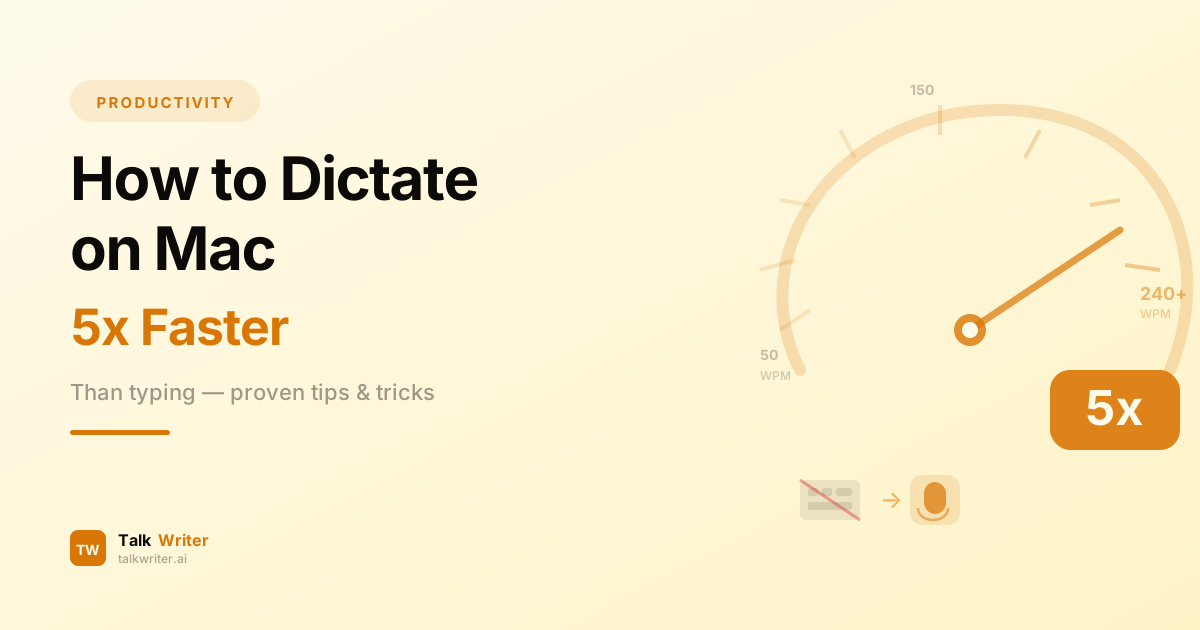
How to Dictate on Mac 5x Faster Than Typing
Learn how to dictate on Mac and write up to 5x faster than typing. Step-by-step setup guide, accuracy tips, and practical exercises to master voice typing.
Voice to Text on Mac: The Ultimate Guide (2026)
Learn how to use voice to text on Mac like a pro. This complete guide covers setup, tips, voice commands, and the best tools for fast, accurate dictation in 2026.