Dragon Dictation Is Dead on Mac — Here Are the Best Alternatives
TalkWriter Team · Product
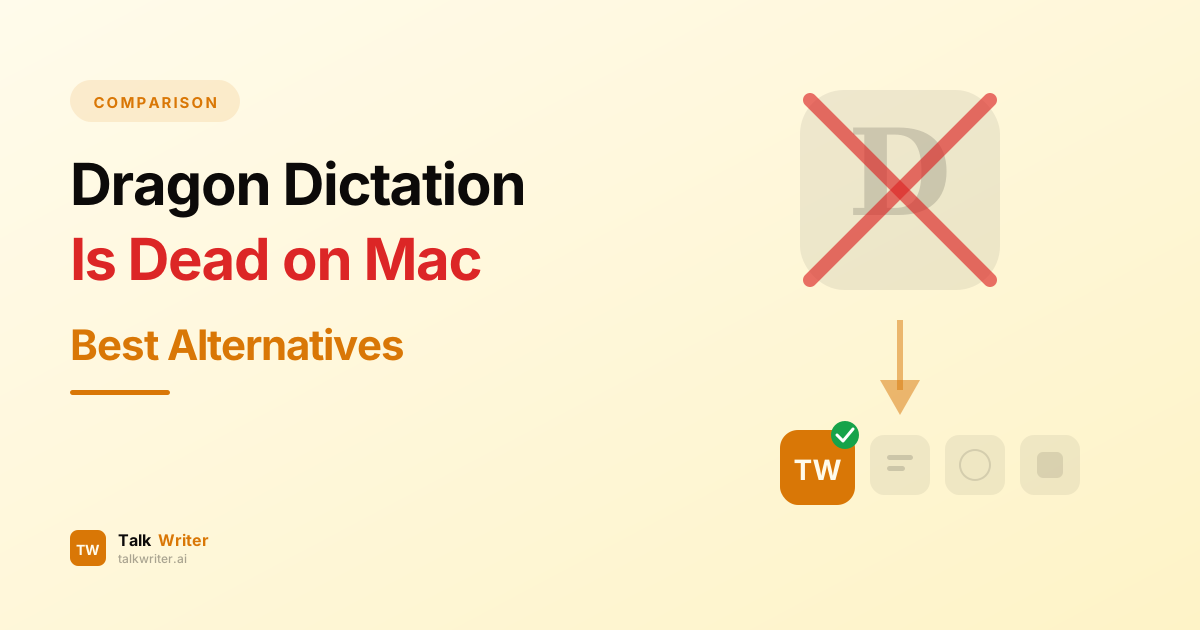
If you're a Mac user who relied on Dragon NaturallySpeaking for voice dictation, you already know the bad news: Nuance killed Dragon for Mac back in 2018, and things have only gotten worse since Microsoft's acquisition. The consumer Dragon Home edition has been discontinued entirely, and the professional version now costs $699 — Windows only.
But here's the good news. The speech recognition landscape has changed dramatically. Modern AI-powered dictation apps now match or exceed Dragon's legendary accuracy, cost a fraction of the price, and actually work on your Mac. No Parallels workaround. No compatibility headaches. Just fast, accurate voice-to-text that works in every app.
This guide breaks down what happened to Dragon, why it's no longer a viable option for Mac users, and which alternatives deserve your attention in 2026.
What Happened to Dragon NaturallySpeaking on Mac?
Dragon was the undisputed king of speech recognition for over two decades. Launched in 1997, Dragon NaturallySpeaking dominated the market with industry-leading accuracy that improved the more you used it. For professionals who needed to dictate thousands of words daily — lawyers, doctors, writers, journalists — Dragon was the only serious option.
Then Nuance started pulling the plug.
The Mac Discontinuation (2018)
In October 2018, Nuance announced it was discontinuing Dragon Professional Individual for Mac. The last version released — Dragon for Mac 6.0 — received no further updates. As macOS evolved and Apple transitioned to its own silicon chips, Dragon for Mac became completely unusable on modern hardware. If you're running any Mac with Apple Silicon (M1 or later), Dragon simply will not run.
Nuance's official explanation was characteristically vague: they were "constantly evaluating their product portfolio." What that really meant was that maintaining a separate Mac codebase was no longer worth the investment.
The Microsoft Acquisition (2022)
In 2022, Microsoft completed its $19.7 billion acquisition of Nuance Communications. The acquisition signaled a clear strategic shift: Microsoft wanted Nuance's healthcare AI technology, not its consumer dictation software.
The consequences were swift. Dragon Home — the consumer-priced edition at around $200 — was discontinued with no version 16 replacement. As of February 2023, you can no longer purchase Dragon Home at all. The only remaining option is Dragon Professional at $699, a 133% price increase over what consumers used to pay, and it only works on Windows.
The Current State of Dragon
Dragon Professional v16 still exists on Windows, but it's a product in maintenance mode at best. Version 16 barely differs from version 15 in terms of meaningful features, and users have reported persistent compatibility issues with Windows 11 updates. Meanwhile, Microsoft has been folding Nuance's core technology into its own products — Azure AI Speech Services and Microsoft 365 Copilot — rather than developing the standalone Dragon product.
For Mac users, the message is clear: Dragon is not coming back. There is no roadmap, no beta, and no indication that Microsoft has any interest in releasing Dragon for macOS. It's time to move on.
Why Former Dragon Users Are Switching
Former Dragon users typically valued three things: accuracy, speed, and the ability to build a custom vocabulary. The good news is that modern AI speech recognition has caught up — and in many ways surpassed — what Dragon offered.
Accuracy without training. Dragon required hours of voice training to reach its peak accuracy. Today's AI models, particularly those built on OpenAI's Whisper architecture, achieve 96-98% accuracy right out of the box with zero training time.
Lower cost. Dragon Professional costs $699 for a single license. Modern alternatives range from completely free to $12-15 per month — a fraction of the cost with comparable or better results.
Cross-platform and cloud-synced. Dragon was always tied to a single machine. Modern dictation apps work across devices and sync your preferences automatically.
AI-powered formatting. Dragon gave you raw text that you dictated. Modern apps use AI to add punctuation, fix grammar, format paragraphs, and even rewrite your words in a more polished tone.
The 7 Best Dragon Dictation Alternatives for Mac in 2026
We tested every major dictation app available on macOS to find the best replacements for former Dragon users. Here's how they compare.
1. TalkWriter — Best Overall Dragon Replacement
Price: Free (2,000 words/week) | Pro $12/month (unlimited)
TalkWriter is the closest thing to a true Dragon successor on Mac. It's a native macOS app that works system-wide — in every text field, in every application — just like Dragon used to. But unlike Dragon, TalkWriter is powered by modern AI that delivers smart formatting, punctuation, and paragraph breaks automatically.
Why Dragon Users Love TalkWriter
- System-wide dictation — works in Mail, Slack, VS Code, Chrome, Pages, Word, and every other Mac app, exactly how Dragon worked across Windows applications
- AI-powered formatting — automatically handles punctuation, capitalization, and paragraph structure so you don't have to dictate "period" and "new paragraph" constantly
- 90+ language support — dictate in English, Spanish, Chinese, Arabic, and dozens more
- 240+ WPM dictation speed — matches or exceeds Dragon's real-world speed
- Minimal latency — words appear on screen in real time as you speak
- Privacy-conscious design — local processing where possible, no unnecessary data retention
Pros
- Native Mac app built specifically for macOS
- Generous free tier lets you try before committing
- Beautiful, minimal interface that stays out of your way
- Smart context awareness for technical terms and proper nouns
- Works offline for basic dictation
- Active development with regular updates
Cons
- Currently Mac only (iOS, Windows, and Android planned)
- Unlimited usage requires the Pro plan
Verdict: For most former Dragon users, TalkWriter is the best alternative. It replicates Dragon's core promise — fast, accurate dictation that works everywhere on your computer — while adding modern AI capabilities that Dragon never had. The free tier gives you 2,000 words per week to test it thoroughly before deciding.
2. Apple Dictation — Best Free Option
Price: Free (built into macOS)
Every Mac ships with dictation built in. Press the microphone key (or Fn twice) and start talking. Apple has invested heavily in its speech recognition engine — on Apple Silicon Macs, dictation runs entirely on-device, and Apple claims its transcription engine is significantly faster than competing models.
Key Features
- Built into macOS with zero setup required
- On-device processing on Apple Silicon (complete privacy)
- Supports simultaneous typing and dictation on M1+ Macs
- Auto-punctuation in supported languages
- Voice commands for basic formatting ("new paragraph," "period")
Pros
- Completely free with no limits
- Excellent privacy — fully on-device on Apple Silicon
- No installation or account required
Cons
- 60-second session timeout — not suitable for long-form dictation
- No AI formatting or text polishing
- Accuracy drops significantly with background noise (65-75%)
- Struggles with technical terms, jargon, and proper nouns
- No custom vocabulary support
- Inconsistent behavior across different applications
Verdict: Apple Dictation is a reasonable starting point for casual use, but former Dragon users will hit its limitations quickly. The 60-second timeout alone makes it unsuitable for anyone who needs to dictate more than a few sentences at a time. It's a good fallback, not a Dragon replacement.
3. SuperWhisper — Best for Privacy-First Users
Price: Free trial | Pro ~$8.49/month | Annual $84.99/year | Lifetime $249
SuperWhisper runs OpenAI's Whisper speech recognition model entirely on your Mac. Nothing leaves your device — ever. For professionals in healthcare, legal, journalism, or anyone handling sensitive information, this is a significant advantage.
Key Features
- 100% on-device processing using OpenAI Whisper
- Custom Modes for different tasks (messages, documents, coding)
- System-wide dictation across all Mac apps
- 100+ languages with translation to English
- Audio and video file transcription
- Custom vocabulary support
- BYOK (Bring Your Own Key) for cloud AI features
Pros
- Strongest privacy guarantee — voice data never leaves your Mac
- Good accuracy with larger Whisper models
- Lifetime purchase option eliminates ongoing costs
- Multi-platform license (Mac, Windows, iPhone, iPad)
- Highly configurable for power users
Cons
- Requires Apple Silicon for best performance
- Larger (more accurate) models demand significant CPU/GPU resources
- Smaller (faster) models sacrifice accuracy noticeably
- Interface is less polished than commercial competitors
- Complex pricing structure can be confusing
Verdict: SuperWhisper is an excellent choice for privacy-conscious users who want guaranteed offline processing. The lifetime purchase at $249 also makes it cost-effective long-term compared to Dragon's $699 price tag. However, you'll need a reasonably powerful Mac to run the larger, more accurate models.
4. Wispr Flow — Best for Cross-Platform Teams
Price: Free (2,000 words/week) | Pro $15/month (~$144/year)
Wispr Flow is a well-funded startup (raised $81M at a $700M valuation) that offers AI-powered dictation across Mac, Windows, iOS, and Android. It uses cloud-based AI processing, which means consistently high accuracy regardless of your hardware.
Key Features
- Native apps on Mac, Windows, iOS, and Android
- AI auto-formatting with punctuation and capitalization
- Self-correction feature ("actually, change that to Tuesday")
- Command Mode (Pro) — highlight text and give voice commands to rewrite it
- 100+ languages with automatic switching
- Developer-focused integrations (Cursor, Windsurf, Replit)
- SOC 2 Type II and HIPAA compliant
Pros
- Cross-platform support is the strongest in the category
- Clean, modern interface
- Active development backed by significant funding
- Good accuracy powered by cloud AI
- Developer and coding workflow support
Cons
- Cloud-based processing — voice data is sent to external servers
- More expensive than most alternatives at $15/month
- Standard plan retains data for 30 days
- Heavier resource usage than simpler tools
Verdict: Wispr Flow is a solid Dragon alternative for professionals who work across multiple platforms and don't mind cloud processing. The cross-platform consistency is a genuine advantage. However, the higher price point and cloud dependency may give privacy-conscious users pause.
5. Google Docs Voice Typing — Best for Google Workspace Users
Price: Free (requires Google account)
Google Docs has a built-in voice typing feature that leverages Google's powerful speech recognition engine. It's free, reasonably accurate, and works well if you already live inside the Google ecosystem.
Key Features
- Free with any Google account
- Strong accuracy powered by Google's speech recognition
- Supports 100+ languages and dialects
- Voice commands for formatting, editing, and navigation
- Works in Google Docs and Google Slides
Pros
- Completely free with no word limits
- Good accuracy for general dictation
- No software installation required
- Supports a wide range of languages
Cons
- Only works inside Google Docs — cannot dictate into other apps
- Requires Chrome browser — no Safari or Firefox support
- Requires active internet connection at all times
- Limited formatting commands compared to Dragon
- No system-wide integration
- Privacy concerns — audio is processed on Google's servers
Verdict: Google Docs Voice Typing is a capable free option if your workflow is centered on Google Docs. But it's fundamentally limited to a single application. Former Dragon users who valued system-wide dictation across all their applications will find this too restrictive.
6. Otter.ai — Best for Meeting Transcription
Price: Free (300 min/month) | Pro $16.99/month | Business $30/user/month
Otter.ai is important to mention because many former Dragon users discover it while searching for alternatives. However, it's critical to understand that Otter is a meeting transcription service, not a real-time dictation tool. You cannot use Otter to type text into your apps as you speak.
Key Features
- Real-time meeting transcription with speaker identification
- AI-generated meeting summaries and action items
- Integrations with Zoom, Google Meet, and Microsoft Teams
- Searchable transcript archive
- Collaborative editing of transcripts
Pros
- Excellent at what it does — meeting transcription
- Good speaker diarization (identifying who said what)
- Useful AI summaries save post-meeting work
- Integrates with major video conferencing tools
Cons
- Not a dictation tool — cannot type into your apps
- Browser and cloud-based only — not a native Mac app
- Requires constant internet connection
- Privacy concerns with cloud audio processing
- Meeting-focused, not writing-focused
Verdict: Otter.ai is a great tool for meeting transcription, but it's not a Dragon replacement. If you need to transcribe meetings, use Otter. If you need to dictate text into your apps like Dragon did, look elsewhere.
7. Whisper-Based Open Source Tools — Best for Technical Users
Price: Free (open source)
OpenAI's Whisper model is open source, and several tools let you run it locally on your Mac for speech recognition. Apps like MacWhisper ($30 one-time) provide a polished interface, while technically inclined users can run Whisper directly via the command line or integrate it into custom workflows.
Key Features
- OpenAI Whisper model with near-human accuracy
- 100% on-device processing (complete privacy)
- Support for 90+ languages
- Can transcribe audio and video files
- Free and open source (the underlying model)
Pros
- Completely free if you run the model yourself
- Excellent privacy — everything stays on your Mac
- High accuracy with larger models (Large-v3)
- Community-driven development and improvements
- Can be customized and integrated into automated workflows
Cons
- Requires technical knowledge to set up and optimize
- No real-time dictation out of the box — primarily file-based transcription
- Resource-intensive — needs Apple Silicon with sufficient RAM
- No system-wide integration without additional tools
- No AI formatting, punctuation, or text polishing
- No dedicated support
Verdict: If you're technically inclined and want maximum control over your speech recognition pipeline, running Whisper locally is a viable option. But for most former Dragon users who simply want to talk and see accurate text appear in their apps, a polished commercial solution like TalkWriter will be a far better experience.
Dragon Dictation Alternatives: Comparison Table
| Feature | TalkWriter | Apple Dictation | SuperWhisper | Wispr Flow | Google Docs Voice | Otter.ai | Whisper (Open Source) |
|---|---|---|---|---|---|---|---|
| Price | Free / $12/mo | Free | Free / $8.49/mo | Free / $15/mo | Free | Free / $16.99/mo | Free |
| Mac Native | Yes | Built-in | Yes | Yes | No (browser) | No (browser) | CLI / wrapper apps |
| Works in All Apps | Yes | Yes | Yes | Yes | Google Docs only | No | No |
| AI Formatting | Yes | Basic | Via BYOK | Yes | Limited | Meeting-only | No |
| Real-Time Dictation | Yes | Yes | Yes | Yes | Yes | No | No (file-based) |
| Languages | 90+ | ~30 | 100+ | 100+ | 100+ | 3 | 90+ |
| Privacy (On-Device) | Hybrid | Yes (Apple Silicon) | Yes | No (cloud) | No (cloud) | No (cloud) | Yes |
| Custom Vocabulary | Yes | No | Yes | Yes | No | No | Limited |
| Session Limits | None (Pro) | 60 seconds | None | None (Pro) | None | 300 min/mo (free) | None |
| Dragon Replacement Score | 9.5/10 | 5/10 | 8/10 | 8/10 | 4/10 | 2/10 | 6/10 |
How to Choose the Right Dragon Alternative
Switching from Dragon can feel daunting, especially if you've been using it for years and have built up muscle memory around its voice commands. Here's a framework to help you decide.
If You Want the Closest Dragon Experience on Mac
Choose TalkWriter. It's the most complete Dragon replacement for Mac: native app, system-wide dictation, AI formatting, and fast enough to keep up with natural speech. The free tier gives you enough room to test it in your real workflow before committing.
If Privacy Is Non-Negotiable
Choose SuperWhisper. Everything runs on your Mac. Your voice data never touches a server. This is particularly important for healthcare professionals, lawyers, and journalists who handle sensitive information — the same professionals who made up a large portion of Dragon's user base.
If You Need Cross-Platform Support
Choose Wispr Flow. If you work across Mac, Windows, and mobile devices, Wispr Flow offers the most consistent cross-platform experience. The trade-off is cloud-based processing, which means your voice data is sent to external servers.
If You Want to Spend Nothing
Start with Apple Dictation for basic use. When you need more power (and you will), move to TalkWriter's free tier for 2,000 words per week with full AI formatting.
If You Primarily Need Meeting Transcription
Choose Otter.ai. It's the best tool for recording and transcribing meetings with speaker identification. Just understand that it won't replace Dragon for composing documents.
For a complete side-by-side analysis of all Mac dictation options, see our best voice dictation apps for Mac 2026 guide. If you're also wondering how AI-powered tools compare with built-in dictation, read our Apple Dictation vs third-party apps comparison.
Making the Switch: Tips for Former Dragon Users
Transitioning from Dragon to a modern alternative is easier than you might expect. Here are some practical tips.
Give yourself a week. Dragon users often have deeply ingrained habits — specific voice commands, dictation rhythms, and workflows. Give yourself at least a week with your new tool before judging it. Most users find that modern AI dictation feels natural within a few days.
You don't need to train it. One of the biggest adjustments is realizing you don't need to spend hours training your new dictation app. Modern AI models work accurately from the first word. Just speak naturally and let the AI handle punctuation and formatting.
Speak naturally. Dragon trained users to speak in a stilted, command-heavy way ("period," "new paragraph," "cap that"). Modern dictation apps with AI formatting let you speak conversationally. The AI figures out where periods, commas, and paragraph breaks should go.
Start with your most common workflow. Don't try to migrate everything at once. Pick the task you do most — emails, documents, messages — and use voice dictation exclusively for that task for a week. Then expand from there.
The Bottom Line
Dragon NaturallySpeaking had an incredible run. For over two decades, it was the standard for professional speech recognition. But its time on Mac has passed, and even on Windows, it's an aging product with an increasingly uncertain future.
The alternatives available in 2026 are genuinely better in most ways that matter: more accurate out of the box, smarter about formatting, more affordable, and designed for the way we work today. For Mac users looking for the best Dragon dictation alternative, TalkWriter delivers the complete package — native macOS integration, AI-powered formatting, 90+ languages, and a free tier that lets you try everything before you pay.
The voice dictation market has moved on from Dragon. Your workflow should too.
Try TalkWriter free — no credit card required →
Looking for help switching from Dragon to a modern dictation app? Our team has helped hundreds of former Dragon users make the transition. Reach out to us — we're happy to help.
Related Articles
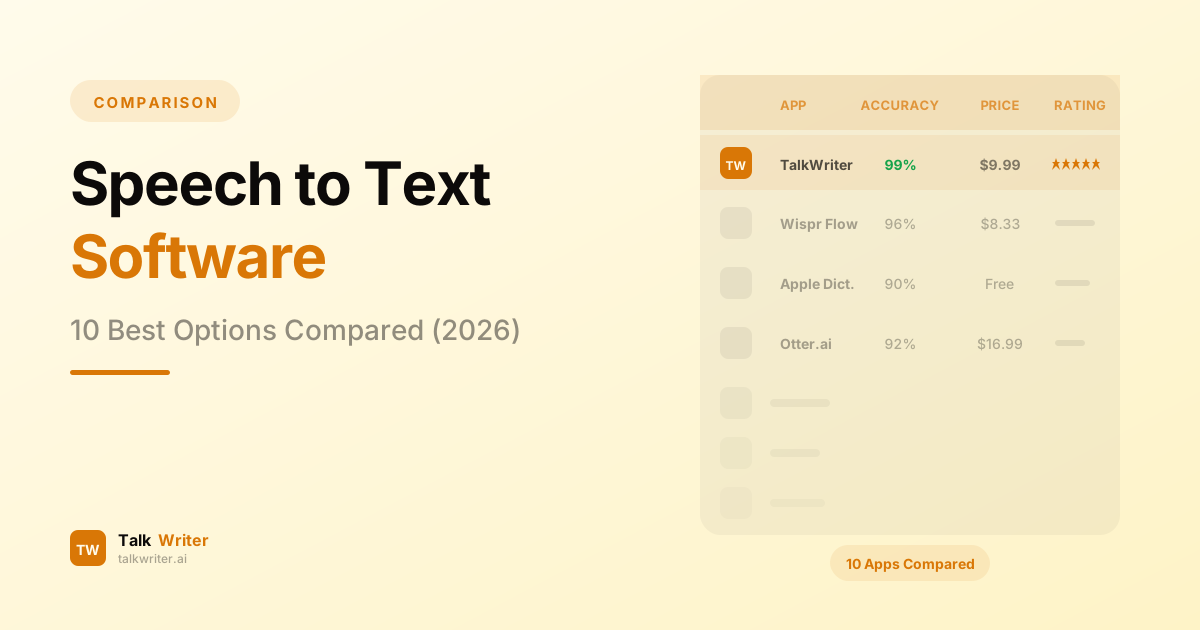
Speech to Text Software: 10 Best Options Compared (2026)
We tested and compared the 10 best speech to text software options in 2026 — from free built-in tools to AI-powered transcription engines. Find the right STT tool for your workflow.
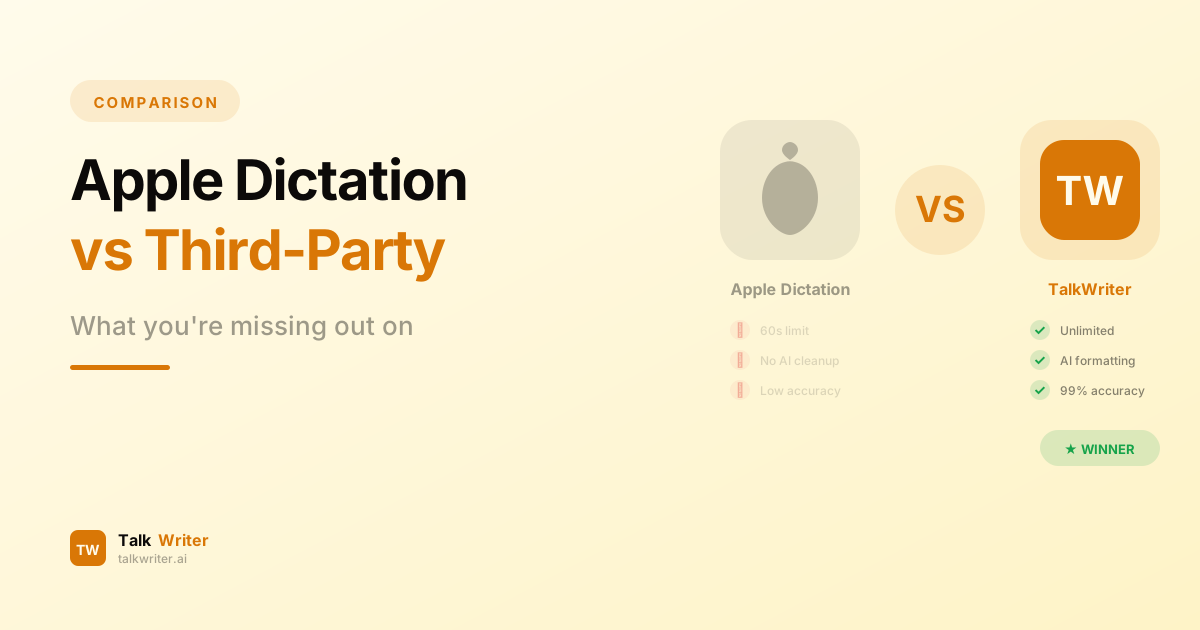
Apple Built-in Dictation vs Third-Party Apps: What You're Missing
Apple's built-in dictation is convenient, but its limitations hold you back. Discover what third-party Mac dictation apps like TalkWriter offer that Apple can't.
AI Writing Assistants vs Voice Dictation: Which Makes You Faster?
AI writing assistants and voice dictation both promise to boost your writing productivity — but they work in fundamentally different ways. Here's which one actually makes you faster.